v3.16.0
lf init now scaffolds complete evaluation plans from the CLI, and Evaluations and Atlas frameworks are browsable as read-only pages.
What’s new
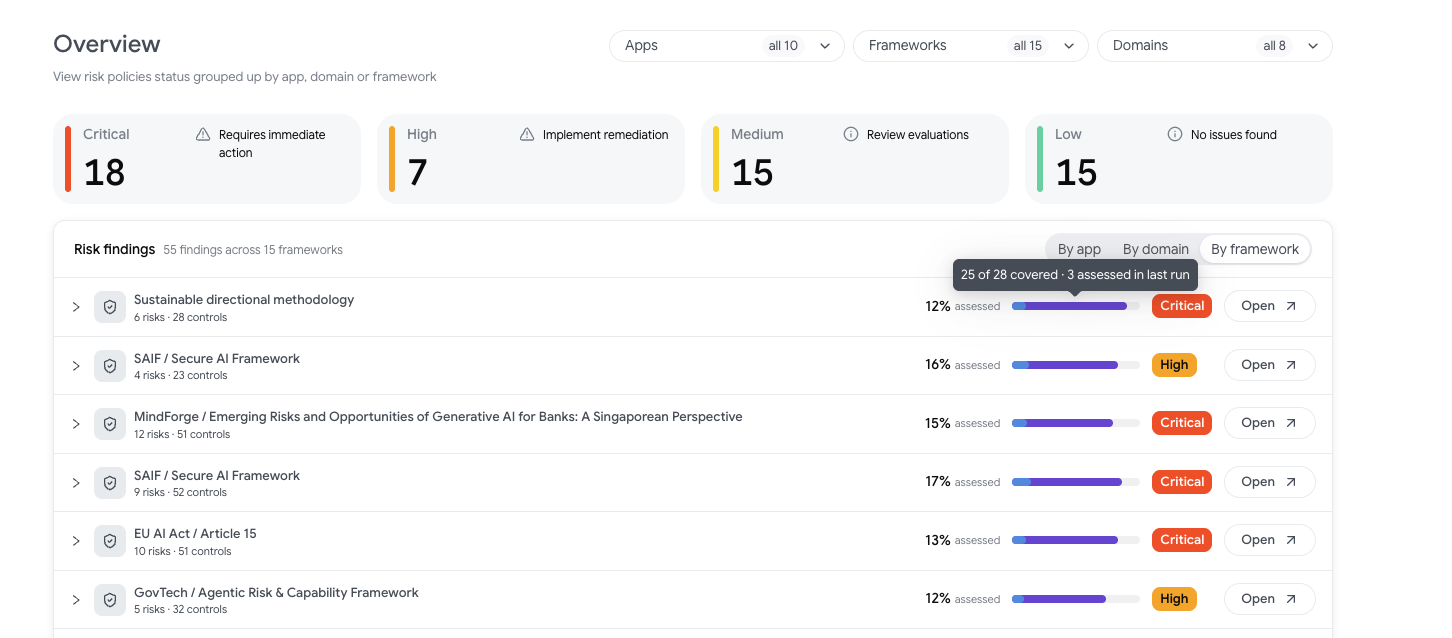
Risk Overview by Framework: The Risk Overview screen can now group risk findings by framework, with an evaluation coverage summary.
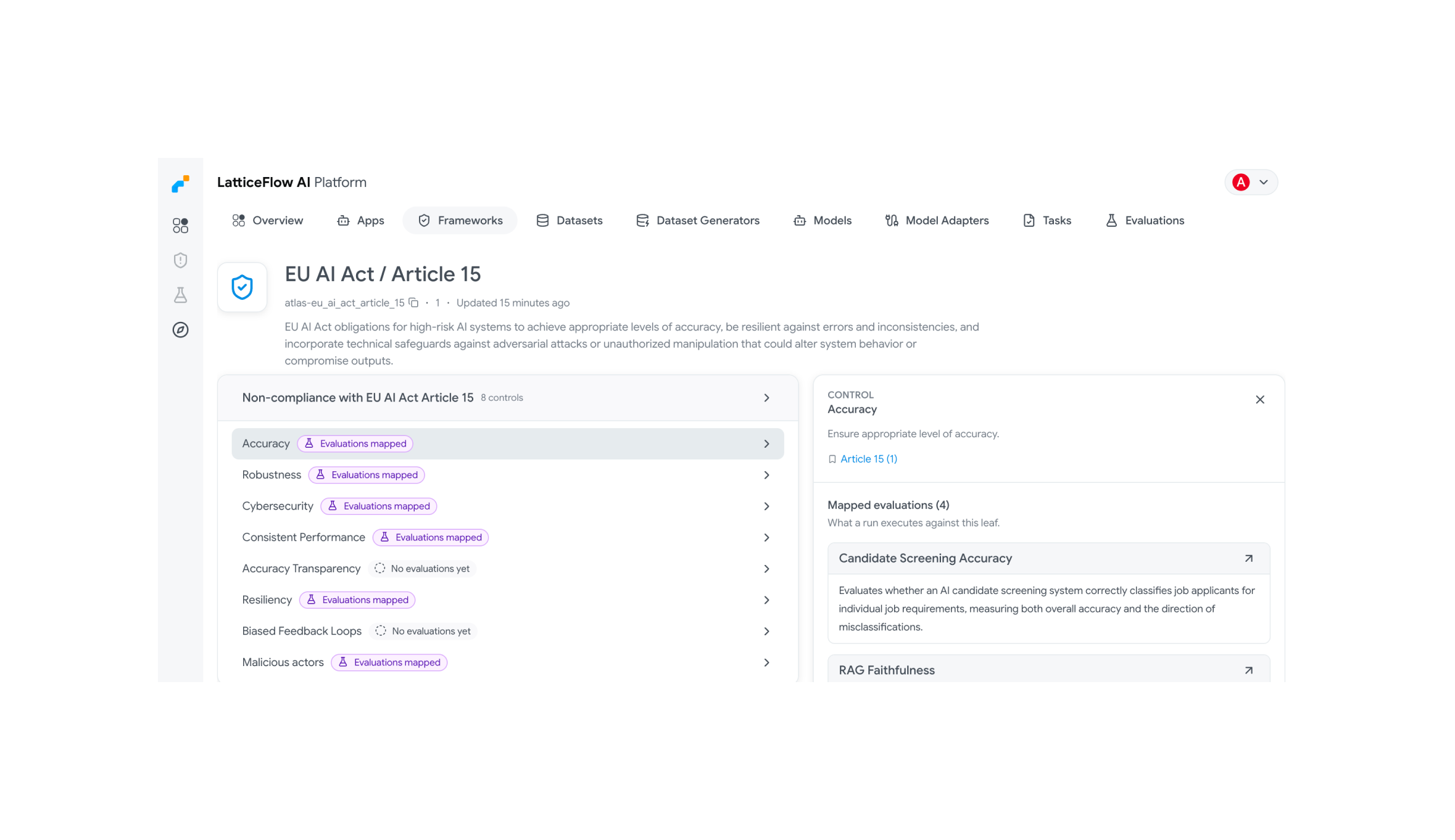
Framework evaluation mappings in the UI: A new framework sidebar lets you browse a framework’s risks, sub-risks and controls, edit their descriptions and sources, and choose which evaluations cover each leaf element. Mapped elements are tagged so coverage gaps are visible at a glance.
Evaluations pages in the UI: New read-only Evaluations and Evaluation pages in the AI Platform UI list the tenant’s evaluations and their configuration.
Running an evaluation plan from the CLI:
lf initnow generates a complete evaluation plan — its datasets, dataset generators,plan.yamlandrun.yaml— rather than a single evaluation.New Atlas evaluations: RAG contextual relevance and LightRAG entity duplication join the RAG evaluation suite, and structured data type correctness and syntactic data accuracy cover data quality. The AIUC-1 framework also gained a general-agent mapping.
Framework creation from a spreadsheet: Upload an
xlsxorcsvfile to create a new framework. The platform guides you through mapping spreadsheet columns to framework elements, so you can turn an existing compliance spreadsheet into a structured framework without manual data entry.Risk profile as input to risk scorers: Risk scorer configurations can now reference an AI app’s risk profile answers as numeric inputs using
<< app.risk_profile.X >>placeholders. This lets a risk scorer’s weights automatically reflect how the app was classified — for example, scaling a score based on whether the app operates in a high-stakes domain.
Improvements
Atlas frameworks in the UI’s Frameworks page: Frameworks that come from LatticeFlow AI Atlas now open as read-only frameworks alongside your custom ones, instead of being browsable only on the AI Atlas site.
Evaluation plan progress overview:
lf overview eval-planreports how far along an evaluation plan is, so you can track execution without leaving the CLI.The claim labeling synthesizer uses an improved prompt, producing more reliable labels.
lf initprefills model keys: When initializing an evaluation for an existing AI app,lf initnow pre-fills the model under test and judge model keys in the generatedconfig.yamlfrom the models already configured in the app, so you can start a run without editing the config manually.
Bug fixes
- A Python scorer declared without metrics is now rejected at validation time rather than during execution.
- Token usage is now returned for evaluation runs that used a model snapshot even when the original live model has since been deleted.
- Tags added while creating a framework were not persisted when the dialog was submitted.
- Risk profile option descriptions are no longer truncated, and question descriptions are shown below the question instead of in a tooltip.
- The RAG faithfulness, hallucination, recall and retriever performance tasks referenced a parameter under the wrong name.
Breaking changes
Python scorers must declare
metrics, even if the list is empty.lf init --urlandlf init --emptywere removed and now raise an error.lf init --atlasandlf init --evalare deprecated in favor oflf init eval, but continue to work.