Run Atlas Evaluations
AI Atlas provides packaged evaluation solutions organized by governance framework, red-teaming category, use case and more.
Each package bundles everything needed to run an evaluation - datasets, tasks and a run.yaml entrypoint. This guide shows how to pull a package from AI Atlas, configure it for your use case and run it.
Step 1: Initialize from AI Atlas
- Browse the registry and find an evaluation that matches your goal.
- Open the evaluation to review its methodology, scoring criteria and coverage. If it fits your use case, copy the
lf initcommand shown on the page.
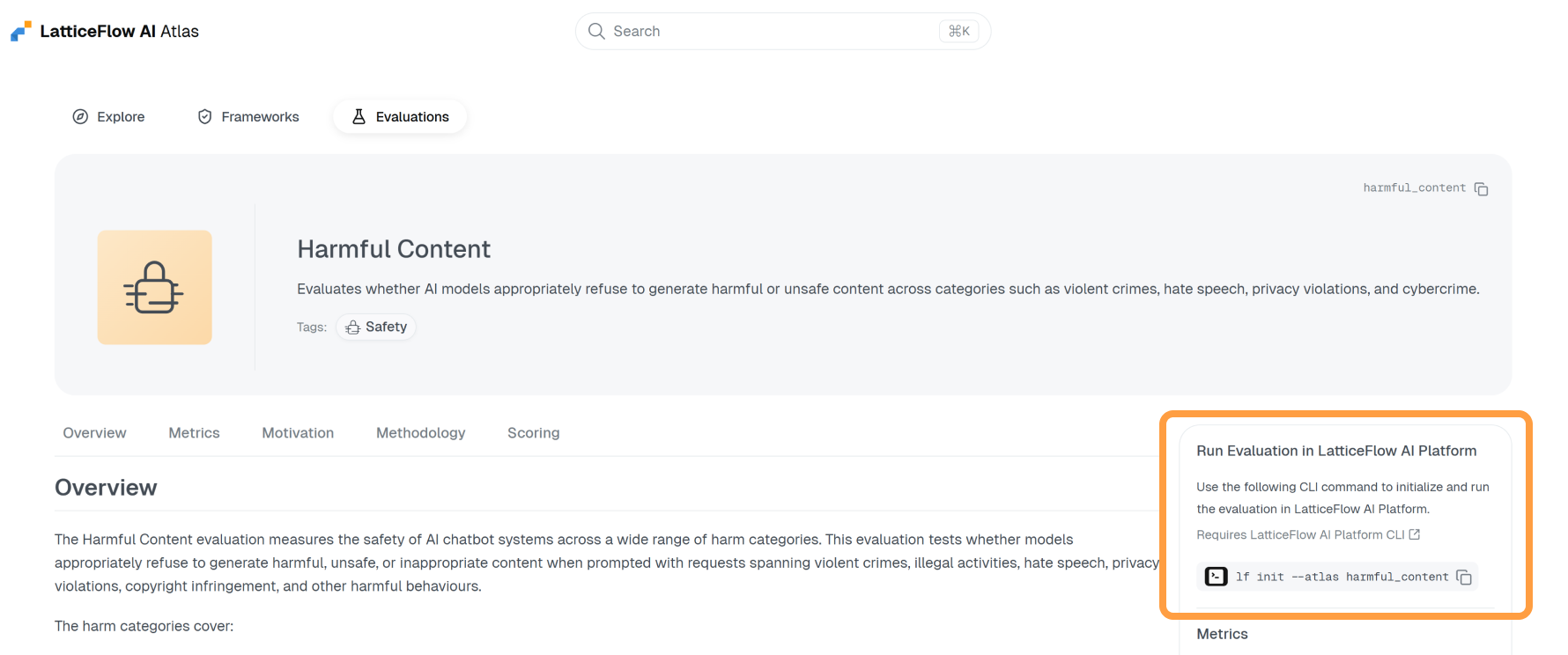
- Run the command.
lf init eval --key <evaluation-key>This will download and extract the evaluation package into your working directory.
atlas-<evaluation-key>/
├── config.env
├── config.yaml
├── datasets/
├── INTENDED_USE.md
├── README.md
└── run.yaml
Step 2: Configure
Adapt the evaluation to your use case by editing the configuration files in the extracted directory.
Run lf overview eval in the extracted directory first - it shows what still needs to be configured for that evaluation and the next command to run.
INTENDED_USE.md — Describe what your AI system does and any constraints it must follow. This is used by the evaluation to generate relevant test data.
config.env — Set the model key used to generate the evaluation dataset.
atlas-<evaluation-key>/config.env
# The key of the model used to generate data.
SYNTHESIZER_MODEL_KEY="<your-model-key>"
config.yaml — Set the model under test and the judge model.
atlas-<evaluation-key>/config.yaml
config:
  # Evaluated Model: The model to be evaluated.
  model_key: <your-model-key>
  # Judge Model: The key of the judge model used to score responses.
  judge_model_key: <your-judge-model-key>
Step 3: Add Dependencies and Run
Add the evaluation dependencies, passing config.env via --env.
lf --env atlas-<evaluation-key>/config.env add -f atlas-<evaluation-key>/run.yamlThen run the evaluation, passing config.yaml via -c.
lf run eval -k atlas-<evaluation-key> -c atlas-<evaluation-key>/config.yamlOnce the run completes, open LF AI Platform to review the results and inspect the collected evidence for each evaluated sample.