Configure a Proxy
If the appliance’s network requires a proxy to reach the internet, configure the appliance to route its outbound traffic through it. This is required for the appliance to reach the Cloud Console when it doesn’t have direct outbound internet access.
Step 1: Open the Proxy Settings
Open a browser and sign in to the application UI at https://<appliance-ip>/. From Settings, open the proxy configuration.
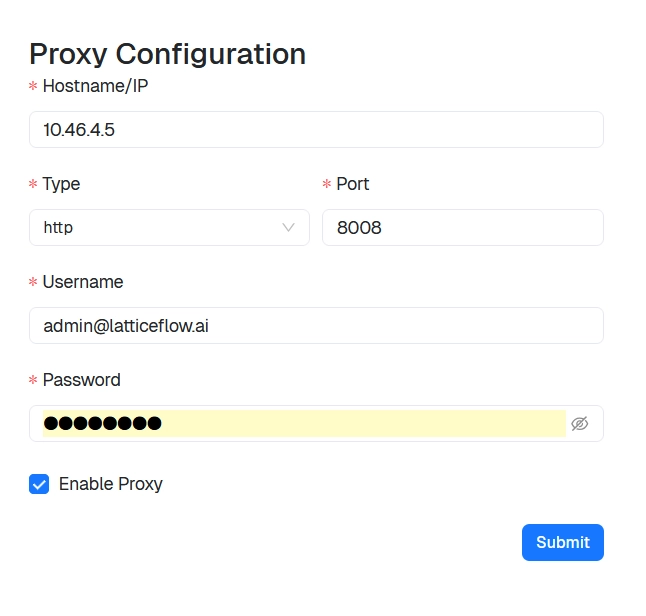
Step 2: Configure the Proxy
Enter the proxy details:
- Type:
HTTPorHTTPS. - Hostname/IP: the address of the proxy server.
- Port: the port the proxy listens on.
- Username and Password: credentials for the proxy, if it requires authentication.
Enable the proxy, then confirm to apply the settings.
Note
The proxy must allow the same outbound access described in Network requirements.
With the proxy configured, continue to Register the appliance.