Create a Scan Scope
A scan job scans systems within a defined network boundary called a scan scope. A scan scope defines the set of IP addresses or hostnames a scan job scans.
Before creating a scope, identify the candidate subnets and target IPs to discover. For sparsely populated subnets, list the specific IPs and ranges instead of the whole subnet — this keeps scan jobs focused and efficient.
Create and configure a scan scope before adding it to a Scan job.
What a Scan Scope Defines
A scan scope defines:
- The targets to scan: individual IP addresses, IP ranges, subnets, or hostnames.
- The environment type: private network or a cloud provider.
Scope Types
| Scope Type | Description |
|---|---|
| Private Network | On-premise or internal networks |
| Amazon EC2 | AWS cloud environments |
| Azure | Microsoft Azure environments |
| Google Cloud Platform | GCP environments |
Most on-premise scanning uses Private Network.
Step 1: Create the Scope
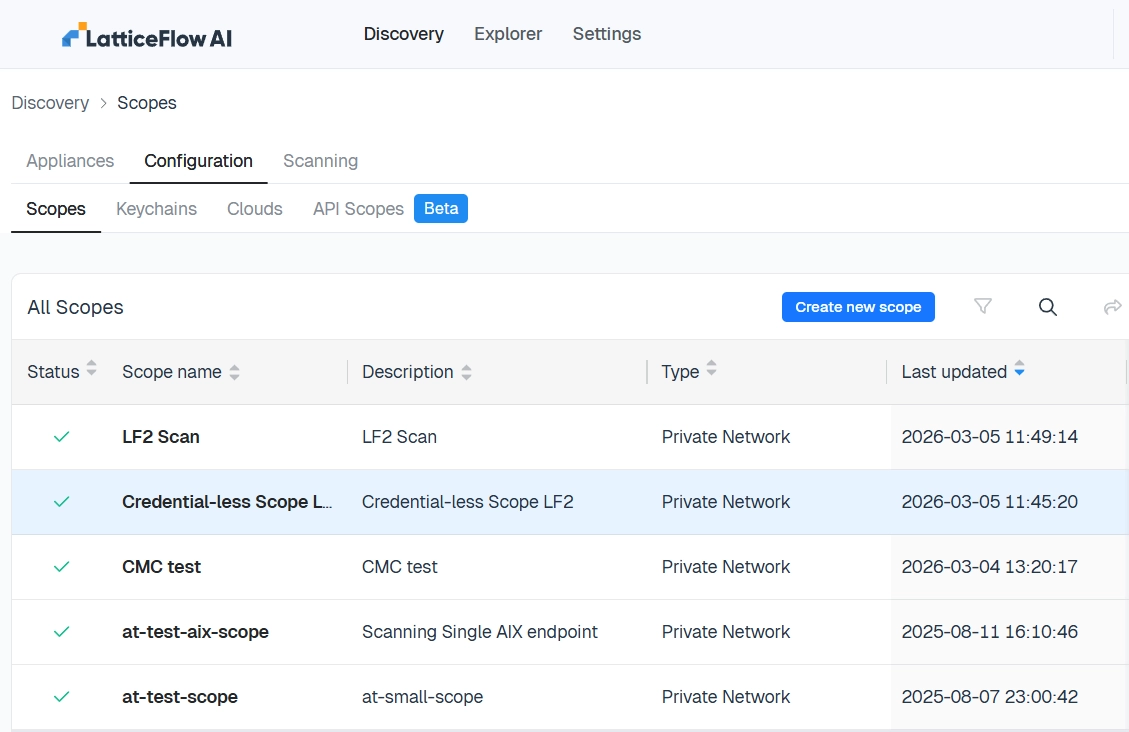
In the cloud Console, go to Discover → Configuration → Scopes, then select Create new scope.
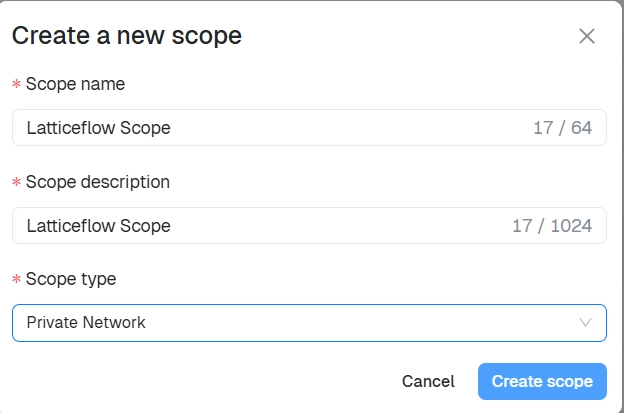
Enter a scope name, an optional description, and the scope type, then select Create scope.
Step 2: Add Targets
Open the scope and add one or more targets. A scope can contain multiple target types at once.
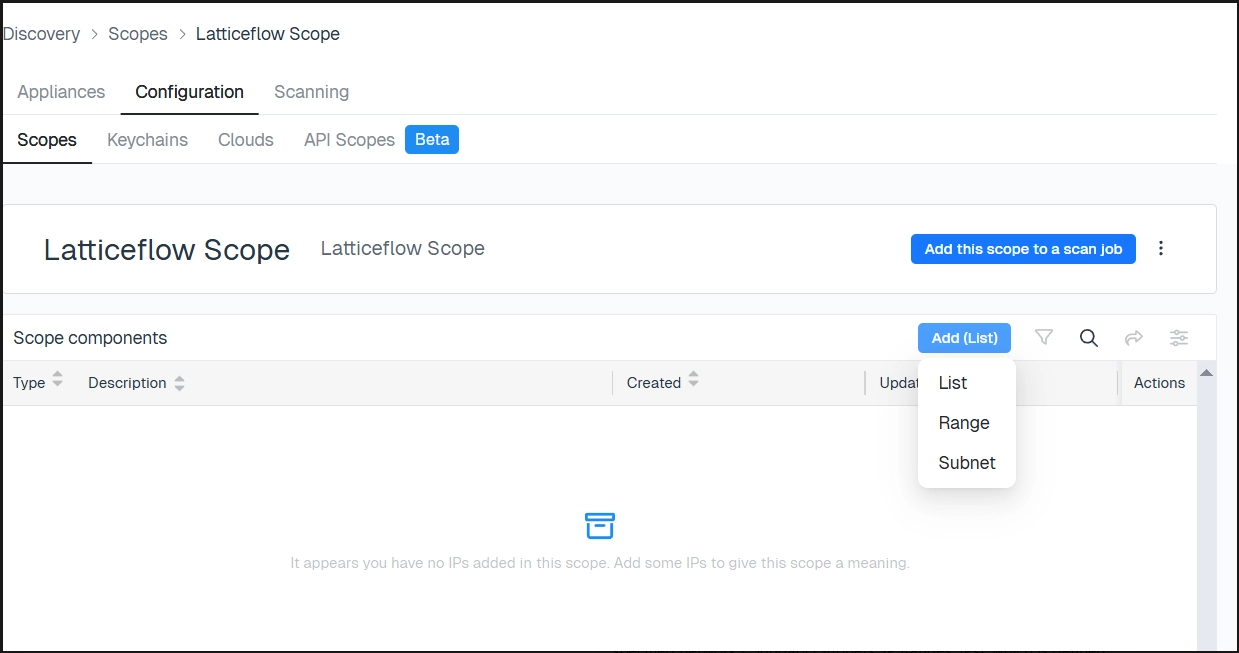
IP List
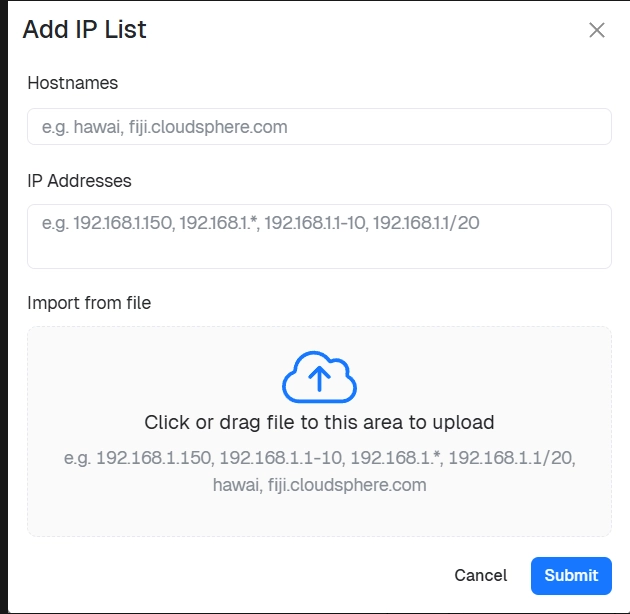
Specify individual IPs or hostnames — single addresses, comma-separated lists, wildcard patterns, or CIDR notation:
192.168.1.150
192.168.1.150, 192.168.1.151
192.168.1.*
192.168.1.1-10
192.168.1.1/20
server01.company.com
A file containing targets can also be uploaded.
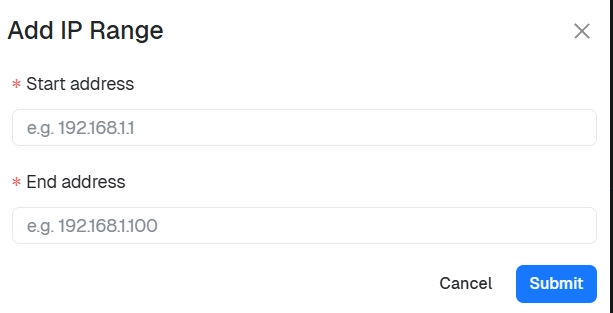
IP Range
Enter a start and end address; the scope scans every IP in between.
| Field | Example |
|---|---|
| Start address | 192.168.1.1 |
| End address | 192.168.1.100 |
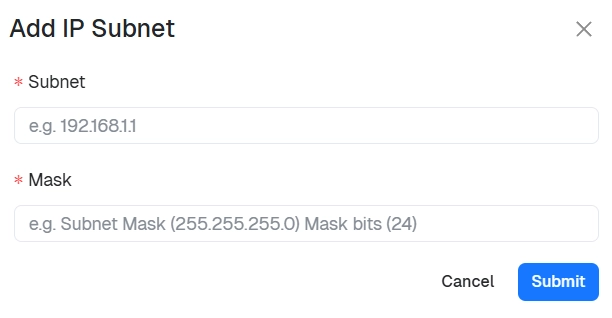
IP Subnet
Enter a subnet and mask to scan an entire network.
| Field | Example |
|---|---|
| Subnet | 192.168.1.0 |
| Mask | 255.255.255.0 or /24 |
Excluding Targets
To exclude specific IPs from scanning — for example, sensitive infrastructure, network devices, or security appliances — create a separate scope containing those IPs, then select it as an exclusion when Configuring the scan job.
Best Practices
- Use subnets for entire networks, ranges for limited sections, and lists for precise targeting.
- Organize scopes by environment or location.
- Use exclusions to keep sensitive systems out of scope.
With a scope defined, Add a keychain with the credentials to access it.