Command Line Interface
The LF AI Platform command line interface (CLI) is how you create entities, run evaluations, and pull results. It is distributed as a lightweight Python package - we recommend installing it locally in a virtual environment.
| Component | Requirement |
|---|---|
| Python Version | 3.11, 3.12, 3.13 |
| Operating System | Linux, Windows, macOS |
Install CLI
Compatibility
The CLI and the LF AI Platform application must run the same version to remain compatible.
uv pip install latticeflow-go-sdkpip install latticeflow-go-sdkFind the application version in the UI by following:
- Click your user icon in the top right corner.
- Click About.
- Click Copy Version.
Configure CLI
The fastest way: select the CLI Reference icon in the left navigation menu, then copy the pre-filled lf configure command from the pop-up.
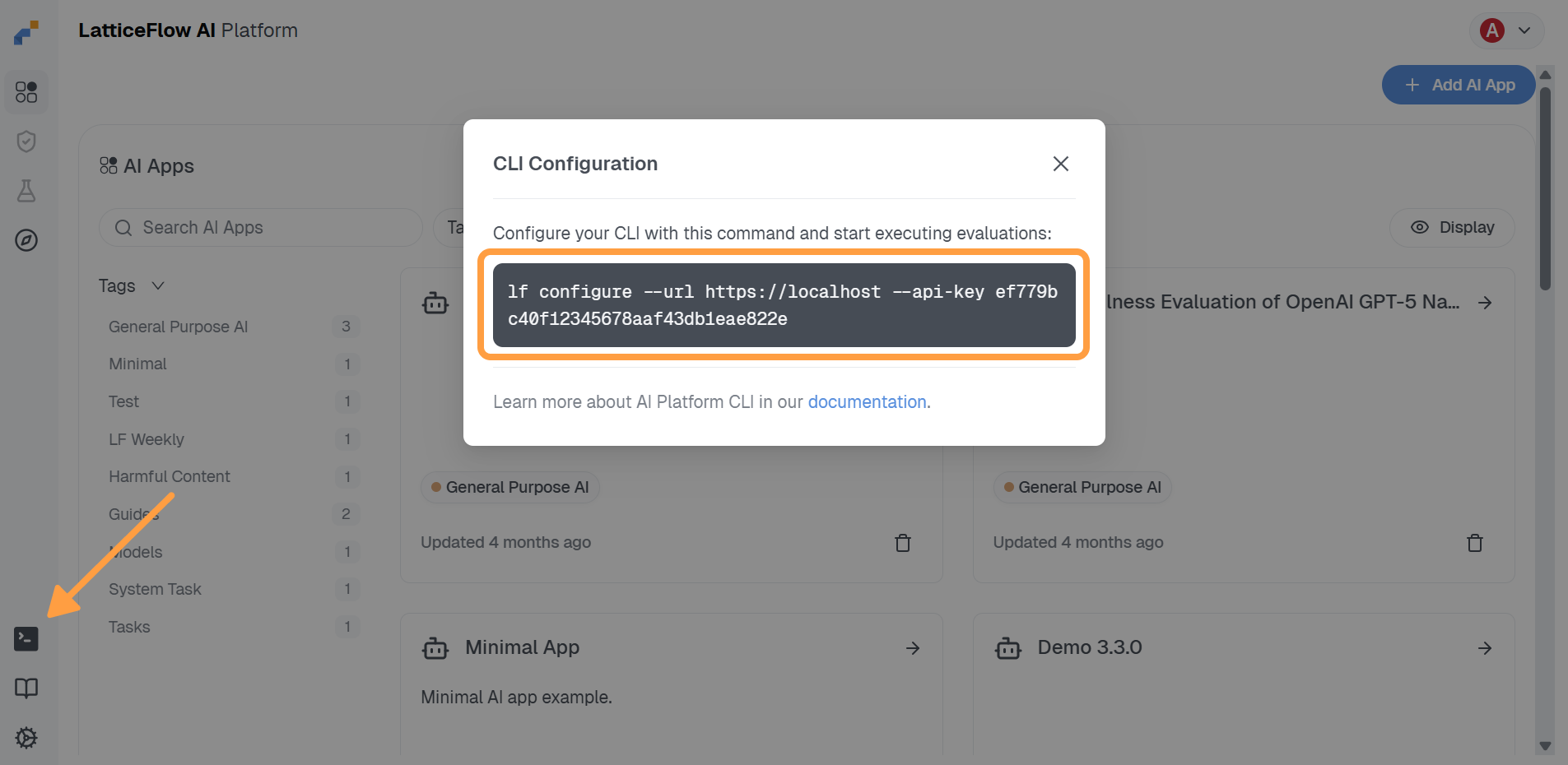
You can also run lf configure without arguments and answer the prompts, or set individual values non-interactively:
lf configure --url https://app.latticeflow.cloud --api-key <your-api-key> --app my-appThe command tests the connection before saving. Useful flags:
| Flag | Purpose |
|---|---|
--url |
URL of your LF AI Platform deployment. |
--api-key |
Your LF AI Platform API key. |
--verify-ssl / --no-verify-ssl |
Whether to verify SSL certificates - relevant for self-signed appliance certificates. |
--app |
AI app key to set as the active context. |
--global, -g |
Write to the home-directory configuration instead of the nearest one. |
The Context Model
Every command runs against a context: a deployment (URL and API key) plus one active AI app. Two commands manage it:
lf switch my-app   # set the active AI app (interactive picker if the key is omitted)
lf status          # show the resolved context and where each value came from
$ lf status
CLI configuration (4 rows)
┏━━━━━━━━━━━━━━┳━━━━━━━━━━━━━━━━━━━━━━━━━━━━━━━━━━━━━━━━━━━┳━━━━━━━━━━━━━━━━━━━━━━━━━━┓
┃ Name ┃ Value ┃ Source ┃
┡━━━━━━━━━━━━━━╇━━━━━━━━━━━━━━━━━━━━━━━━━━━━━━━━━━━━━━━━━━━╇━━━━━━━━━━━━━━━━━━━━━━━━━━┩
│ URL │ https://app.latticeflow.cloud │ '~/.latticeflow.yaml' │
│ API Key │ ****61c1 │ '~/.latticeflow.yaml' │
│ Verify SSL │ True │ '~/.latticeflow.yaml' │
│ AI App Key │ my-app │ '~/.latticeflow.yaml' │
└──────────────┴───────────────────────────────────────────┴──────────────────────────┘Because an AI app is an isolated workspace with respect to evaluation runs, policies, and risk scorer results, lf switch is the equivalent of checking out a branch: everything you run afterwards lands in that app. See Core Concepts.
Where Configuration Comes From
Configuration is stored in .latticeflow.yaml files. The CLI walks up from the current directory towards your home directory and uses the nearest file it finds, so a per-project configuration can override your global one. lf configure and lf switch write to that nearest file; lf configure --global always writes to ~/.latticeflow.yaml.
Values resolve in this order, highest priority first:
- Command-line flags.
- Environment variables:
LF_URL,LF_API_KEY,LF_AI_APP_KEY,LF_VERIFY_SSL,LF_API_TIMEOUT. - The nearest
.latticeflow.yaml, then the ones above it, up to~/.latticeflow.yaml.
The Source column of lf status tells you which one won - check it first when a command targets the wrong deployment or app.
Credentials and .env Files
Provider API keys and other secrets belong in environment variables, never in a YAML spec. The CLI automatically loads .env from the current directory, and --env <path> loads an additional file whose values take precedence:
lf --env harmful_content/config.env run -f harmful_content/run.yaml.env
OPENAI_API_KEY=sk-...
MODEL_KEY=openai$gpt-4o
JUDGE_MODEL_KEY=openai$gpt-4o
Reference these values from a spec as $OPENAI_API_KEY. For credentials you would rather keep on the server, see Manage secrets.